





With more and more passenger vehicles coming standard with onboard navigation systems, and smartphones having the capability to navigate through apps like Google Maps, it might seem a little silly to even consider buying a separate, turn-by-turn GPS unit. And you might be right if you stick to paved roads and highways — but if you’re someone who finds themselves in four-wheel drive on unimproved roads, old cart paths, and trails in the middle of nowhere, the Garmin Tread 2 might be one of the best investments you make this year.
In this review, I am going to talk about the last three months of my life with the Tread 2 Overland. We’ll discuss its on-road features, as well as the benefits of having superior weather protection and its off-road capabilities. As a guy who’s relied on Google Maps for the last decade, I can confidently now say that its accuracy and alerts pale in comparison to what the Tread 2 has to offer. But that all comes with a few adjustments to what I’ve gotten used to.
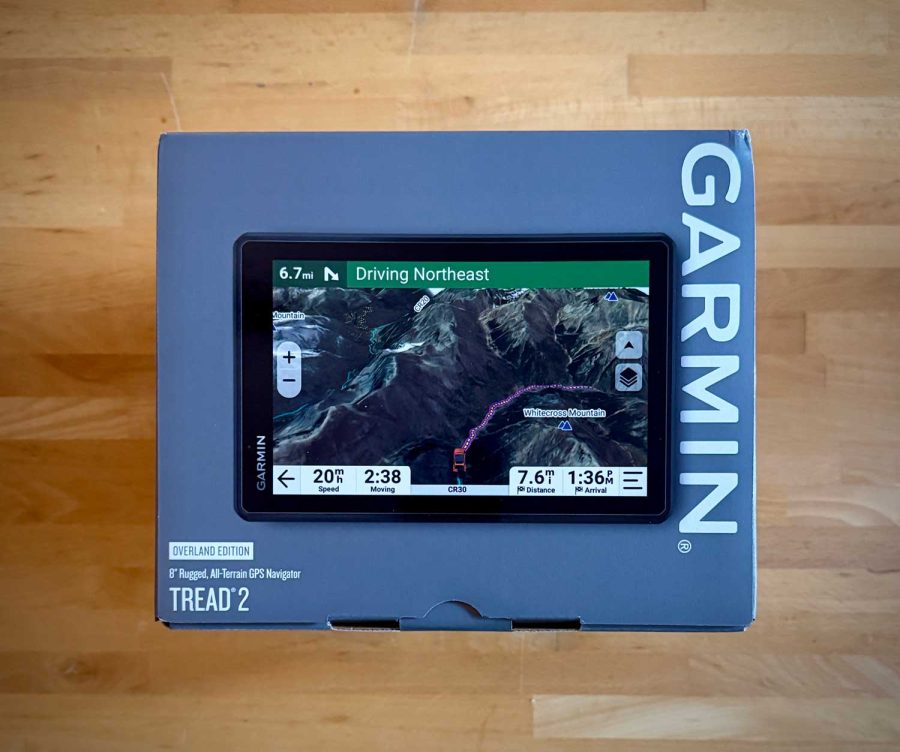
The Garmin Tread 2 is a stand-alone satellite-infused GPS unit that comes in six different versions, depending on what kind of adventures you get into. The Powersport, SXS, XL Baja Chase, and XL Baja Race versions have features and accessories tailored to ATV, UTV, and powersport-based adventures. The Overland edition is just as feature-packed, but it is aimed more at on-road and off-road adventures that don’t require a roll cage, helmet, goggles, and a Red Bull IV line tapped into your neck.
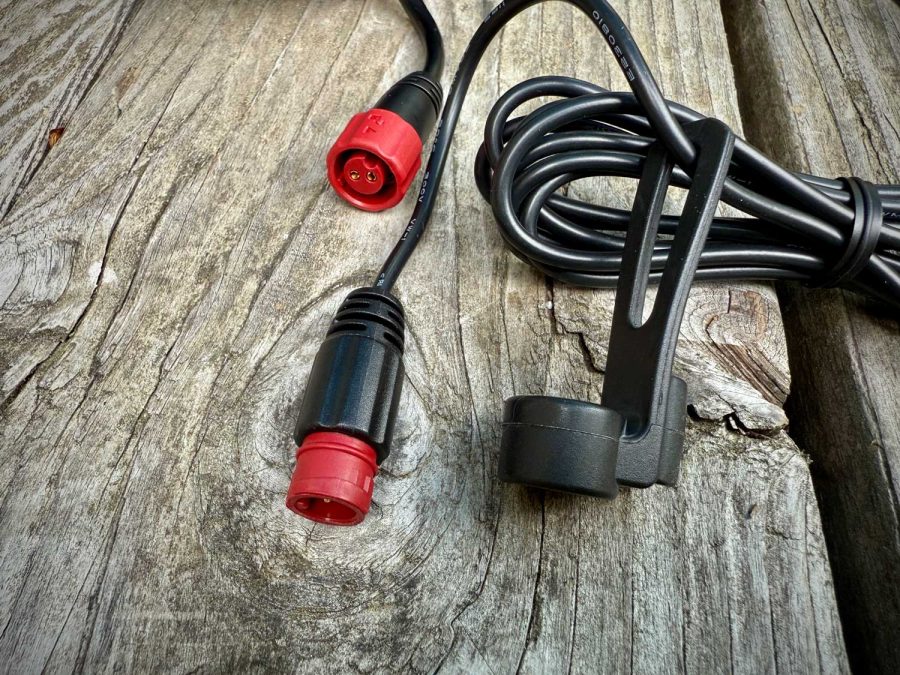
All of the standard models have a touchscreen of 8” where the XL versions have a 10.1” touchscreen. They’re also IP6X and IPX7 rated, which means they’re sealed up tight so no dust or debris can get in, but they’re not rated to be submerged. Don’t worry, you can still get them wet – just don’t take them for a swim. This protection goes right down to the cables and ports which are all designed to resist the elements.
Additionally, each model is good for up to seven hours of battery life, features 10 Hz Multi-GNSS satellite positioning for incredible accuracy, and can pair with Garmin’s inReach devices. The XL versions have inReach built in.
I chose the Overland edition because it features turn-by-turn navigation for streets and highways, as well as unpaved roads, trails, etc. This included the U.S. Forest Service Motor Vehicle Use Maps and Adventure Roads and Trails state-by-state map content. Accessible through different map layers, these features indicate all those paths and trails without a road name or route number that require you to turn on some tasty jams, switch into four-wheel-drive, and go nice and slow through the mud and ruts. There’s also the added benefits of having over 46,000 camping locations across the U.S. preloaded into the unit.
Garmin Tread 2 vs. Garmin Tread
With these Tread 2 units starting at $1000, they’re an investment to say the least. If you’re someone who already owns the original Tread, you’re probably wondering if it’s worth upgrading. So, I’ll say this – although there aren’t a lot of differences between the original Tread and the Tread 2, they are pretty significant.
- Positioning: The Tread 2 features multi-band GNSS. What does this mean? More satellites! This allows for pinpoint tracking with no lag. Aside from directions, this improves both traffic and weather alerts.
- Maps: The Tread 2 has higher detailed maps, advanced mapping tools, and the ability to plan and share with ease. Using both the Explore and Tread Apps on your phone creates an unparalleled navigating and traveling experience.
- USB-C Charging: With the world doing its best to unify charging, I’m glad that Garmin jumped on the USB-C train because those are the only cables I carry with me anymore.
These features do not make the original Tread obsolete, but they do make the Tread 2 more appealing. I don’t know if it’s enough for someone to upgrade to the 2 from the original Tread, but if someone was looking to buy one of them, I would tell them to ignore the crazy deals you can find on the original Tread and go right to the sequel.
Navigating, In General
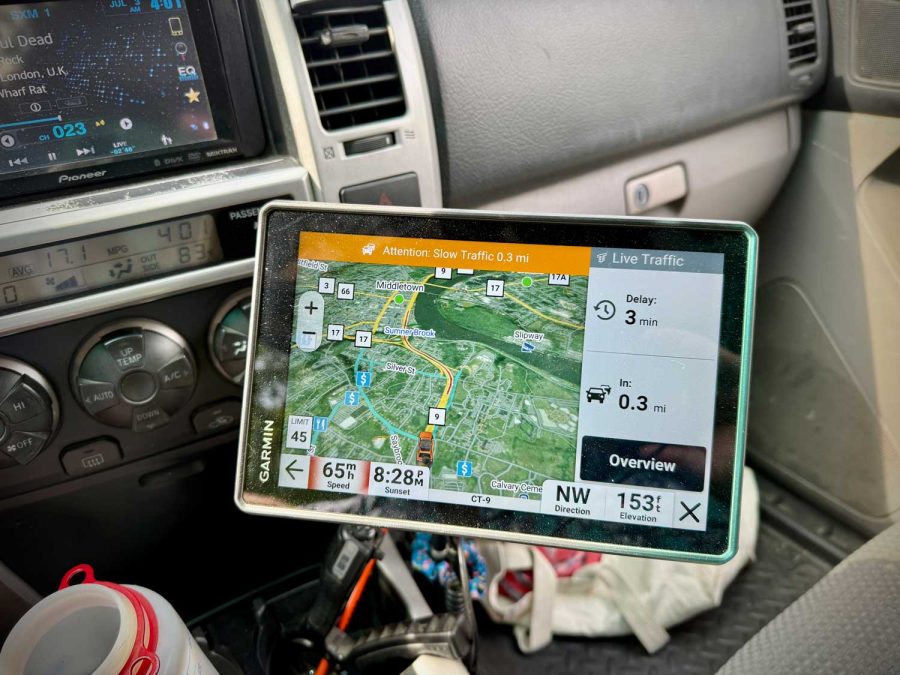
The convenience of having the ability to punch in your destination into an app or stand-alone navigation unit has made us reliant on their benefits. Is this a bad thing? Well, no – at least not until you don’t have it and find yourself anxious, having to navigate through road signs and memory.
Where most of us have become accustomed to Google Maps because of its reliability and convenience, I cannot sing the praises of the Tread 2’s navigation interface and software. And a lot of that has to do with the traffic and weather alerts I get when I am NOT using it to navigate.
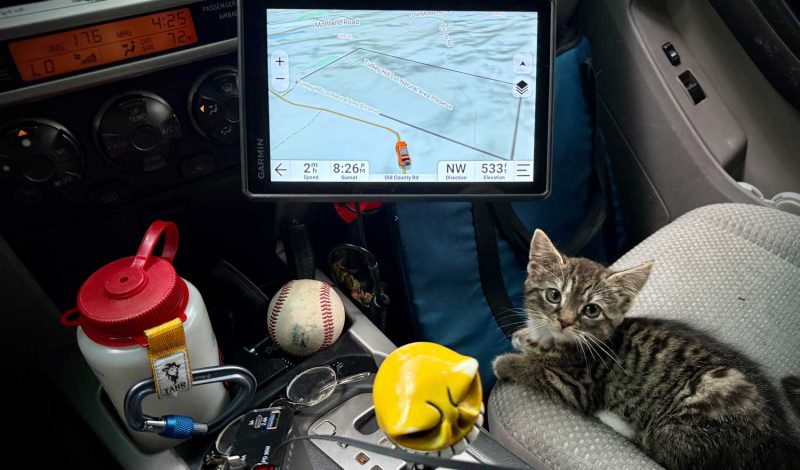
A couple of weeks ago, I was coming home from a friend’s house with no need for navigation assistance. With the Tread 2 mounted in my 4Runner, it alerted me to an accident up ahead that would have caused me to sit in traffic for half an hour.
Additionally, the Tread 2 has allowed me to cut a subscription to a pretty popular off-road navigation service. I’ve been using that service for years to create routes, and it’s been great. However, it relies on cell service and, in this instance, would require me to have two separate services that do not communicate to do the same thing. Through Garmin Explore, I can seamlessly share anything and everything I have done between Garmin Devices. Which means that I can see my hiking routes on both devices – some of which marry up with my off-roading routes.
Vehicle Profiles / Navigation / Pitch & Roll
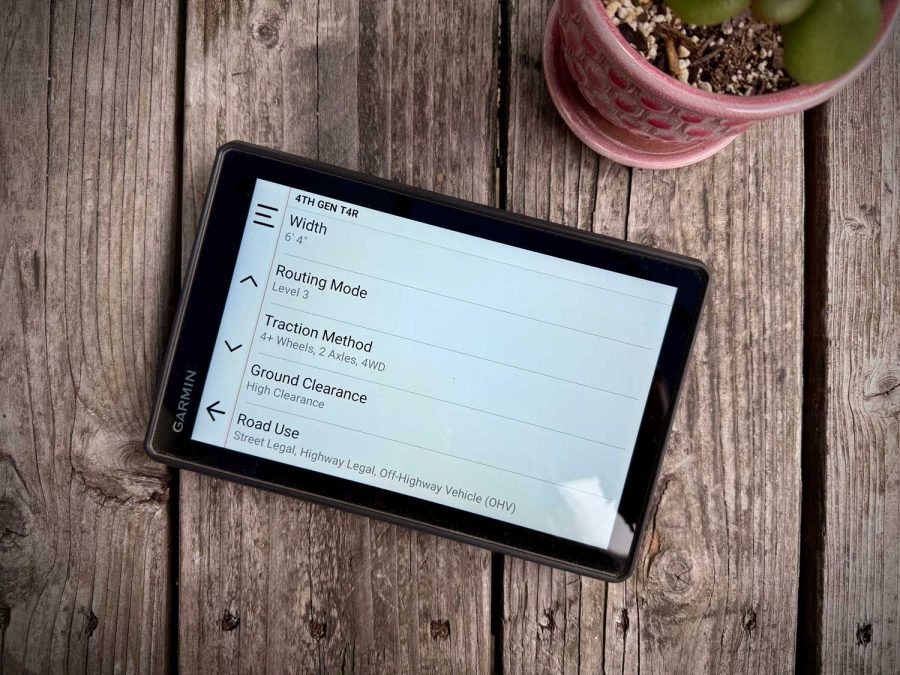
The Tread 2 allows users to create vehicle profiles, which include vehicle type, width & height, ground clearance, and other bits of information that will influence the routes recommended to the driver. Those routes can also be adjusted depending on how aggressive you want your ride to be.
This also comes in handy with the Pitch & Roll feature. On the surface, it looks cool to see the angles your vehicle is at, but at the core – this also helps Garmin’s software decide which route is best for you. By taking into consideration the vehicle type, height, and ground clearance, it might recommend a safer trail for you, over one where you could roll your vehicle.
It’s the little things that make the biggest difference.
Transferring Between Vehicles
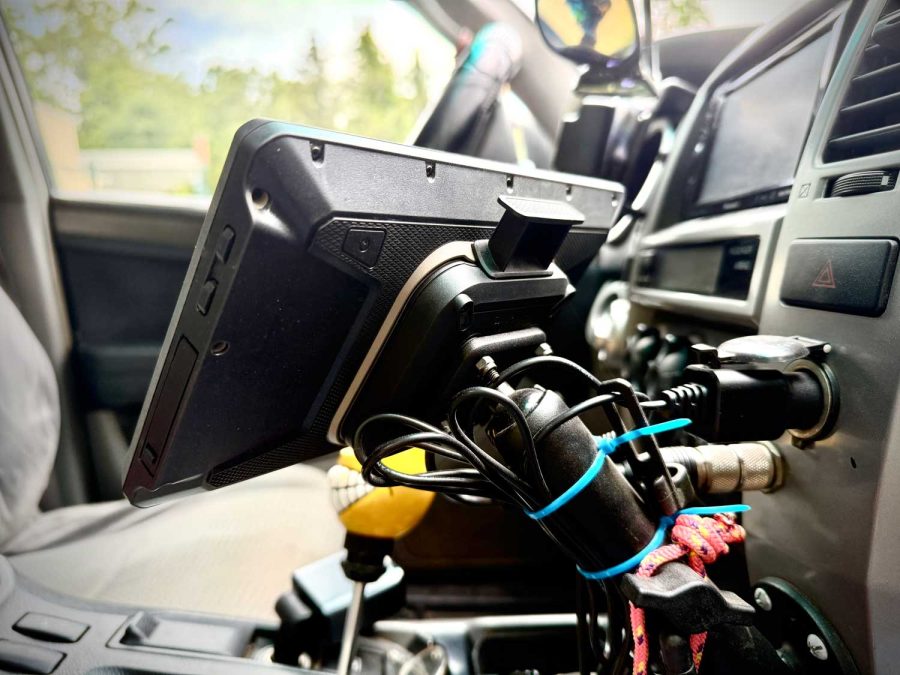
The Tread 2 features a magnetic mount that attaches to a ball mount. This allows you to create a RAM arm mount that works for your particular vehicle. The magnetic mount also makes it easy to transfer your unit from your passenger vehicle to an ATV or UTV. All you need to do is switch your vehicle profile to match what you’re driving, and your navigation experience is automatically adjusted to the capabilities of that vehicle.
Display Size, Touchscreen, and Relationships
The one thing I love about the Tread 2 Overland is its 8” touchscreen display, which is also compatible with gloves. The icons on the screen are large, allowing you to make changes and selections while driving without wholly shifting your focus from driving.
You can switch between maps and weather, as well as access deeper information about traffic and weather alerts with ease. Garmin did a great job pairing its software’s features with the capabilities of the touchscreen. You’re never hunting for buttons to try and find something. You can also change what you see on your screen based on the information you want. I love knowing which direction I am going and what the elevation is, but seeing when the sun sets is also a nice addition. To me, it creates a symbiosis between Garmin’s handheld and wearable products.
Echoing what I said earlier about the convenience of having these kinds of navigation services and then not having them, suddenly, familiarity is a big part of that as well. Familiar interfaces eliminate adjustment periods and learning curves. The Tread 2 functions the same as the Montana 710, which also has a similar interface to the Instinct 3 smart watch. That connection is enhanced by the Explore app that ties everything together, allowing you to share information across devices. Using all three in unison has created an all-encompassing experience that I’m really benefiting from.
Other Notable Features
There’s no way I can cover everything the Tread 2 has to offer in this review, but there are a couple of other features I want to mention.
- Group Ride: If you’re driving with a group of friends, you can stay in constant contact with them through this feature. This can either be achieved through Bluetooth or by adding on the Group Ride Radio, which turns the Tread 2 into a really fancy CB-style radio.
- Media Player: Music turns a good time into a great time. The Tread 2 has a built-in music player that allows you to play music via Bluetooth or off of the microSD card you can install in the slot next to the USB-C port. With a 256GB card capacity, you might want to limit those spacey Grateful Dead jams to a couple of your core favorites.
Outdoor Maps+
If you’re someone, like me, who has many Garmin products, you’re going to enjoy the added benefits of Garmin’s Outdoor Maps+ subscription. This service allows you to unlock more map layers, like public and private land boundaries, known concentrated wildlife areas, and more features to improve your navigation experience.
I purchased the yearly plan, and it’s been a joy to add these aforementioned enhancements – as well as more detailed topo and satellite map layers.
In Conclusion
Don’t tell my editor, but sitting down to write this review was a HUGE experience in editing. I have much to say about the benefits of having the Tread 2 guiding my 4Runner through all sorts of on and off-road adventures, so I needed to cherry-pick what I was going to write about.
That said, in an attempt to wrap this up, I will leave you with this: not only does the Tread 2 feature staple turn-by-turn directions, but it also has the ability to add maps and layers to zero in on your needs. It has premium features like weather, and weather alerts. It also has traffic alerts – that don’t require you to be navigating to receive them. For those of you with a lead foot, the Tread 2 can also alert you when the speed limit changes on established roads and highways.
Additionally, there are off-road-oriented features like pitch and roll, and elevation, all of which take their cue from your vehicle profiles. When you consider its portability and ability to be exposed to the elements, the Tread not only becomes the right choice for your truck or SUV, but also your ATV or UTV.
If you’re a fan of Garmin products, especially if you’re someone who uses some of their other devices, you’re the kind of person who will benefit from the Tread 2 Overland or the other available versions of the Tread 2.
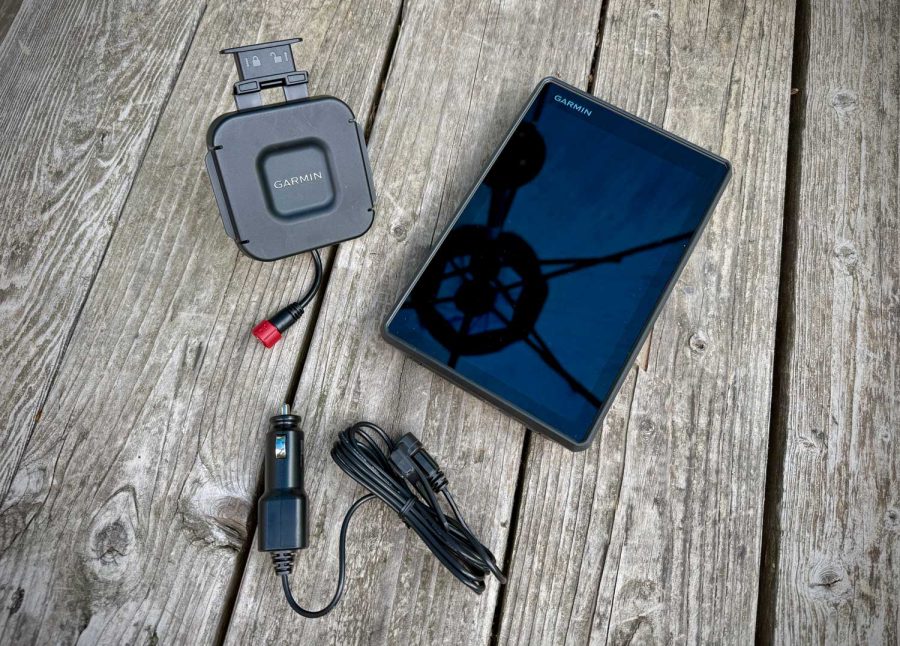
Garmin Tread 2 – Ports. Photo: Nick LeFort